Nothing derails a cleaning session faster than a Shark vacuum that won’t cooperate. Whether it’s a sudden power loss, weak suction, or a brush roll that refuses to spin, these problems are frustrating but usually fixable without a service call. Most Shark vacuum issues stem from clogs, filter buildup, or minor mechanical snags, problems homeowners can diagnose and resolve in minutes with the right approach. This guide walks through the most common Shark vacuum malfunctions, explains what’s likely causing them, and provides straightforward fixes to get the machine running properly again.
Table of Contents
ToggleKey Takeaways
- Most Shark vacuum troubleshooting issues stem from clogs, filter buildup, or brush roll obstructions—problems homeowners can fix in minutes without professional service.
- Loss of suction is commonly caused by a full dust cup, clogged hoses, or dirty filters; always empty the dust cup before the MAX fill line and allow filters 24 hours to air-dry after washing.
- Check for hair and string wraps around the brush roll and replace worn belts promptly, as a non-rotating brush roll drastically reduces cleaning effectiveness on carpets.
- Unusual sounds like whistling, rattling, or grinding indicate loose components, airflow gaps, or bearing wear—identify the noise type to pinpoint the exact problem.
- Thermal shutoffs prevent motor damage by activating when airflow is restricted; clear all blockages, wash filters monthly, and allow 15-minute cool-downs during extended use.
- Perform preventive maintenance after every use by emptying the dust cup and removing hair wraps, then follow monthly and semi-annual schedules to extend your Shark vacuum’s lifespan.
Shark Vacuum Won’t Turn On or Loses Power
When a Shark vacuum fails to power on or shuts off mid-use, the cause is usually electrical rather than mechanical. Start with the obvious: confirm the unit is plugged in completely and the outlet is live. Test the outlet with another device or plug the vacuum into a different receptacle.
For cordless models, battery issues are the primary culprit. Place the battery on the charger and verify the indicator light shows charging activity. Lithium-ion batteries lose capacity over time, if the vacuum is several years old and runtime has significantly decreased, battery replacement may be necessary. Shark’s batteries typically last 2-3 years with regular use.
Upright and canister models with power cords should be checked for visible damage along the cord length. Look for fraying, exposed wire, or kinks. If the cord is damaged, replacement is a safety priority, attempting repairs on power cords can create fire or shock hazards.
Some Shark models include a thermal cutoff switch that trips when the motor overheats. If the vacuum shut off during use and won’t restart, let it cool completely for 45-60 minutes. The thermal protection resets automatically once internal temperatures drop. Persistent overheating indicates an airflow restriction that needs addressing (covered later in this guide).
Loss of Suction: Why Your Shark Vacuum Isn’t Picking Up
Weak suction is the most common complaint with any vacuum, and Shark models are no exception. The fix almost always involves clearing obstructions or cleaning filters.
Check the dust cup first. Even if it doesn’t look full, empty it completely. Shark recommends emptying when debris reaches the MAX fill line, but suction starts degrading before that point. After emptying, remove the dust cup and inspect the cyclone assembly for compacted hair or debris wedged around the vents.
Inspect hoses and attachments for clogs. Detach the hose from both ends and look through it toward a light source. A flashlight from one end makes blockages obvious. Use a straightened wire hanger (no sharp edges) or a broom handle to push obstructions through. Check the main floor nozzle intake and any extension wands, pet hair and carpet fibers commonly ball up at connection points.
Filter maintenance is critical and often neglected. Shark vacuums typically have two filters: a pre-motor foam filter and a post-motor HEPA filter. Both are washable but must be completely dry before reinstalling (at least 24 hours air-drying). Cleaning hacks often suggest speeding up household tasks, but rushing filter drying will damage the motor. Replace filters every 6-12 months even with regular washing, as the material breaks down over time.
For models with adjustable suction settings, verify the control isn’t set to a reduced power mode. Some Shark uprights also have a suction release valve on the handle, if it’s accidentally open, suction drops noticeably.
Brush Roll Not Spinning or Working Properly
A non-rotating brush roll drastically reduces cleaning effectiveness on carpets. This problem usually has a mechanical cause rather than an electrical one.
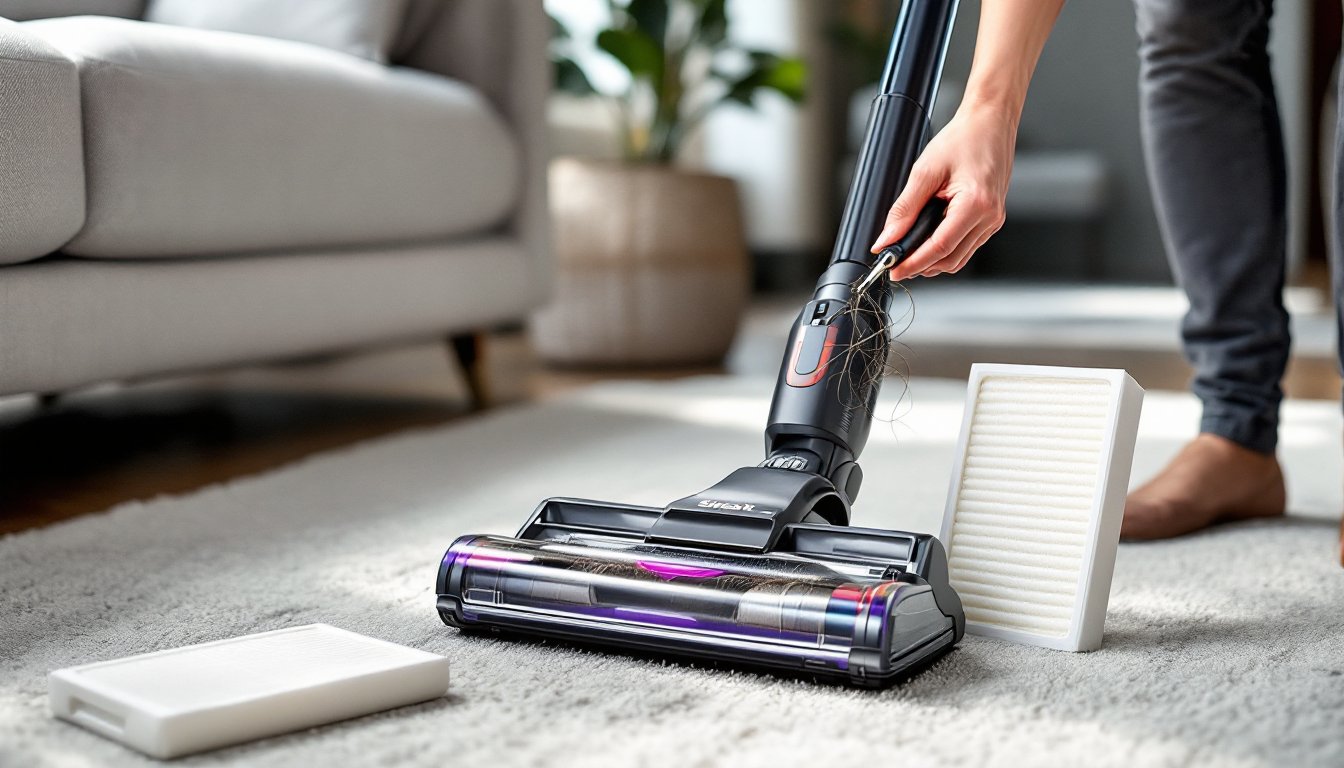
Hair and string wraps are the leading cause. Flip the vacuum over and examine the brush roll closely. Pet hair, human hair, thread, and string wrap tightly around the roller and bearing caps, eventually binding it completely. Most Shark models allow brush roll removal without tools, check the shark vacuum troubleshooting manual for the specific release mechanism on your model. Once removed, use scissors to carefully cut away wrapped debris. Don’t pull aggressively, as this can damage the bristles.
Some Shark models feature a brush roll indicator light that illuminates when the roll is jammed or not spinning. If the light is on after clearing debris, the belt may be broken or stretched. Belts are rubber and wear over time, especially with heavy use. Replacement belts are model-specific and inexpensive. Access typically requires removing a bottom plate secured with 2-4 Phillips screws. When installing a new belt, ensure it’s seated correctly on both the motor shaft and brush roll pulley, a misaligned belt will slip or break again quickly.
Floor nozzle setting matters on models with adjustable height. If set too low for the carpet pile, the brush roll can’t rotate freely and may stall. Most Shark uprights have a height adjustment dial or lever near the floor nozzle. Raise it one setting and test.
For cordless stick models, verify the floor attachment is fully locked into the wand. A partially connected nozzle won’t receive power to the motorized brush roll.
Strange Noises: Identifying and Fixing Unusual Sounds
Vacuums aren’t silent, but new or unusual sounds indicate something’s wrong. Identifying the noise type helps pinpoint the issue.
High-pitched whistling or screaming suggests air is being pulled through a gap it shouldn’t be. This happens when the dust cup isn’t seated properly, a seal is damaged, or there’s a crack in the housing. Remove and reinstall the dust cup firmly, it should click into place. Inspect all seals and gaskets for tears or deformation. Replacement seals are available for most models.
Rattling or clattering usually means something is loose or trapped in the system. Check inside the dust cup for a hard object (screw, coin, small toy) bouncing around. Inspect the brush roll housing for debris stuck between the roll and the housing walls. Tighten any visible screws on the floor nozzle and handle connections.
Grinding or squealing from the brush roll area points to bearing wear or a damaged belt. Remove the brush roll and spin the bearings by hand, they should rotate smoothly. If they feel gritty or stick, the bearings are worn. Some Shark models have replaceable bearings: others require a new brush roll assembly.
Loud motor noise with reduced performance often accompanies a severe clog. The motor works harder to compensate for restricted airflow, creating a labored sound. Address this immediately, running a vacuum with a major obstruction can burn out the motor. Professional appliance reviews frequently note that motor failure from clogs isn’t covered under warranty since it results from neglected maintenance.
Overheating and Automatic Shutoff Issues
Shark vacuums include thermal protection that shuts the motor off when internal temperatures exceed safe limits. This prevents motor damage but indicates an underlying problem.
Airflow restriction is the primary cause of overheating. When air can’t flow freely through the system, the motor runs hotter. Work through the suction checklist: empty the dust cup, wash filters, clear hoses, and remove brush roll obstructions. Even a partial blockage can cause heat buildup over a 10-15 minute cleaning session.
Dirty filters are especially problematic. As filters load with fine dust, the motor has to work harder to pull air through. This is why Shark specifies washing filters monthly with heavy use. Foam filters should be hand-washed in cool water without soap, while HEPA filters can be gently rinsed. Squeeze excess water out (don’t wring or twist) and air-dry completely before reinstalling.
For models that repeatedly overheat even after clearing blockages, check the operating environment. Using a vacuum continuously for more than 30-40 minutes, especially on thick carpet with a heavily loaded dust cup, can trip thermal protection. Many comprehensive troubleshooting guides recommend giving the motor a 15-minute cool-down after extended use.
Ambient temperature also matters. Operating a vacuum in a hot garage or during summer months in a non-air-conditioned space reduces the motor’s cooling efficiency. If the vacuum shut off, move it to a cooler location and wait a full hour before restarting.
Persistent overheating after addressing these factors may indicate motor wear or internal damage requiring professional service. Contact Shark support before assuming the unit is beyond repair, many thermal issues are covered under warranty if the vacuum was properly maintained.
Regular Maintenance Tips to Prevent Future Problems
Most Shark vacuum issues are preventable with basic maintenance performed on a regular schedule.
After every use:
• Empty the dust cup, even if it’s only half full
• Check the brush roll for hair wraps and remove them
• Inspect hoses and attachments for visible obstructions
Monthly (or after every 4-5 uses):
• Wash foam and HEPA filters (remember the 24-hour dry time)
• Wipe down the dust cup and cyclone assembly with a damp cloth
• Check the brush roll belt for wear or stretching
• Inspect seals and gaskets for damage
Every 6 months:
• Replace filters even if they appear clean, material degrades with washing
• Inspect the power cord or battery contacts for damage
• Deep-clean all attachments and extension wands
• Check wheels and swivel steering for debris buildup
Safety note: Always unplug the vacuum or remove the battery before performing any maintenance. Even with the power switch off, contact with internal components on a plugged-in unit can cause injury.
Keep the shark vacuum troubleshooting manual accessible, model-specific guidance for filter location, belt replacement, and brush roll removal varies. Shark’s support site offers downloadable PDFs for most models if the original manual was lost.
Store the vacuum in a climate-controlled area when possible. Extreme heat or cold can degrade rubber belts, plastic housings, and battery performance. Wrapping the cord loosely (not tightly wound) and storing attachments on the vacuum’s built-in clips prevents damage and keeps everything ready for the next use.
Conclusion
Most Shark vacuum problems come down to clogs, dirty filters, or worn belts, all issues a homeowner can resolve without professional help. Working through these troubleshooting steps systematically saves time and money while extending the vacuum’s service life. When problems persist after addressing these common causes, contact Shark’s customer support. Many issues are warranty-covered, and the company provides replacement parts and service options for out-of-warranty units.